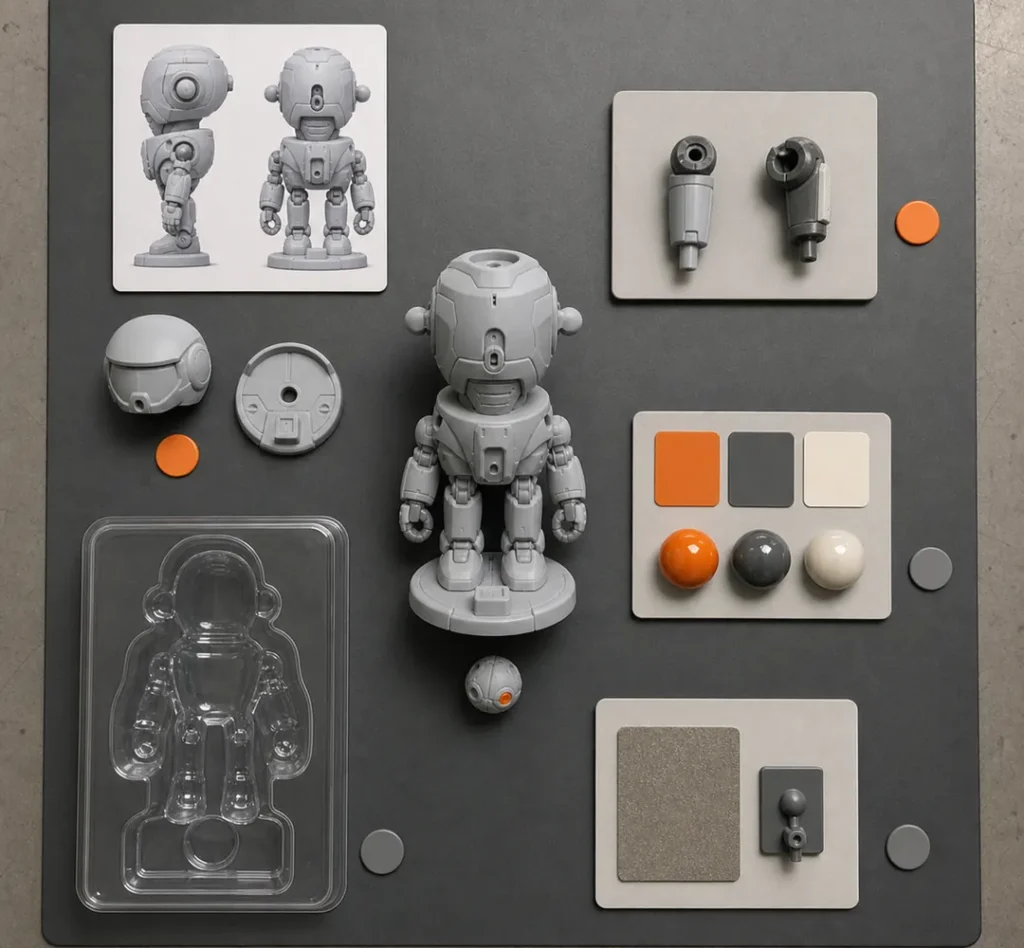
Prototype & Sample Making

Home / Capabilities / Prototype & Sample Making

Prototype and sample making before tooling

Prototype &Sample Making

FigCrafts makes prototypes and samples for custom figures and plastic model kits to review form, fit, assembly, appearance and packaging before tooling or production decisions.

Choose the sample by what must be checked.A form prototype, fit sample, painted sample and packaging sample answer different questions. The reviewed version then guides the next agreed step.

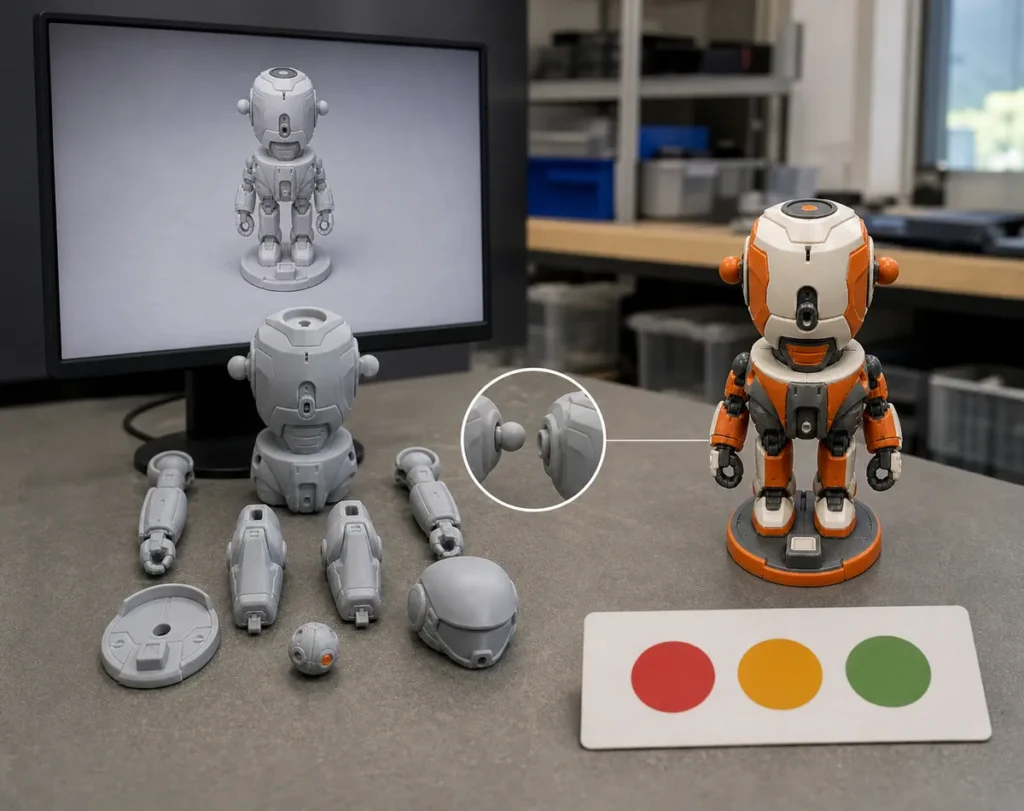
Prototype validation decision diagram An engineering diagram shows a digital product baseline moving through form, fit and appearance sample routes into a scoped approval decision. PHYSICAL VALIDATION MAP REV / GATE APPROVED DIGITAL BASELINE FORM / PARTS / INTERFACES 01 / FORM SCALE + SILHOUETTE 02 / FIT INTERFACE + ASSEMBLY 03 / APPEARANCE COLOR + FINISH 04 / PACK-OUT FIT + PRESENTATION SCOPED APPROVAL Version + property + exception + next gate REVISE / VALIDATE AGAIN / TOOL / RELEASE NEXT STAGE SAMPLE PLANNING RULE Choose the simplest sample that can answer the next product or tooling question.

Prototype planning illustration · Sample routes and review scope
In-House
3D printing and PU prototype development within the confirmed FigCrafts scope.
From One Unit
Suitable prototype and low-volume routes can begin with one physical unit.
Product-Specific
Figures and model kits require different validation questions and evidence.
Clear Next Step
Each sample supports a defined review before tooling, revision or another agreed stage.

Begin with the decision

What Must the Next Physical Sample Prove?

A useful sample starts with a clear question. FigCrafts reviews the current files, product route and open issues before recommending how the sample should be made.

01

Form & Scale

Review silhouette, proportion, pose, surface detail, finished size and the relationship between the main parts.

Typical decision: Is the physical form ready for detailed engineering?

02

Fit & Assembly

Review selected interfaces, clearances, part orientation, assembly access, movement intent and stability.

Typical decision: Which interfaces pass, and which need another loop?

03

Appearance

Review color placement, graphics, visible joins, gloss, texture, decoration priority and overall visual hierarchy.

Typical decision: Is this the visual direction for later production evidence?

04

Packaging & Pack-Out

Review product and accessory fit, presentation, orientation, loose-part control and the intended pack-out arrangement.

Typical decision: Is the packaging direction ready for supplier samples or testing?

Sample Planning Rule

Do not ask one sample to answer every question. Define the next decision, then choose the route, material direction, finish and checks required to support it.

Pre-tooling sample routes

Choose the Sample Route by What It Needs to Validate

Before tooling, different samples can be used to review form, fit, appearance, assembly or pack-out. The exact route is confirmed after reviewing the product and the next decision.

01

Early Physical Review

3D-Printed Prototype

Useful forform, scale, part breakdown, assembly sequence and selected early interfaces.

Boundarydoes not automatically reproduce molded shrinkage, production resin, gate evidence or repeatability.

02

Low-Volume Route

PU Prototype Sample

Useful forlow-volume presentation, selected assembly or fit review, and a closer finished-product impression where suitable.

Boundarythe exact PU route and material are confirmed by project and do not automatically equal final injection behavior.

03

Visual Direction

Painted Appearance Sample

Useful forcolor placement, print or graphic location, finish hierarchy and visible-surface review.

Boundarydoes not by itself approve dimensions, function, production yield or bulk consistency.

04

Interface Review

Fit or Assembly Sample

Useful forscoped interfaces, movement intent, stability, accessory relationships and assembly order.

Boundaryvalidity depends on the method, materials and criteria; long-term production behavior needs suitable evidence.

05

Pack-Out Direction

Packaging Sample

Useful forproduct and tray fit, presentation, loose parts, artwork position and pack-out arrangement.

Boundarydoes not prove shipment performance without the agreed carton and test scope.

Route Availability
In-house 3D printing and PU prototype development are within the confirmed FigCrafts scope. Vacuum casting and other suitable low-volume routes are evaluated or coordinated per project. Exact methods, materials, quantities, timing and outputs are confirmed after review.

Prototype review views

See the Sample in the Context of Its Decision

Review each physical sample against the question it was made to answer, from unpainted form and part breakdown to paint, assembly and the released digital baseline.
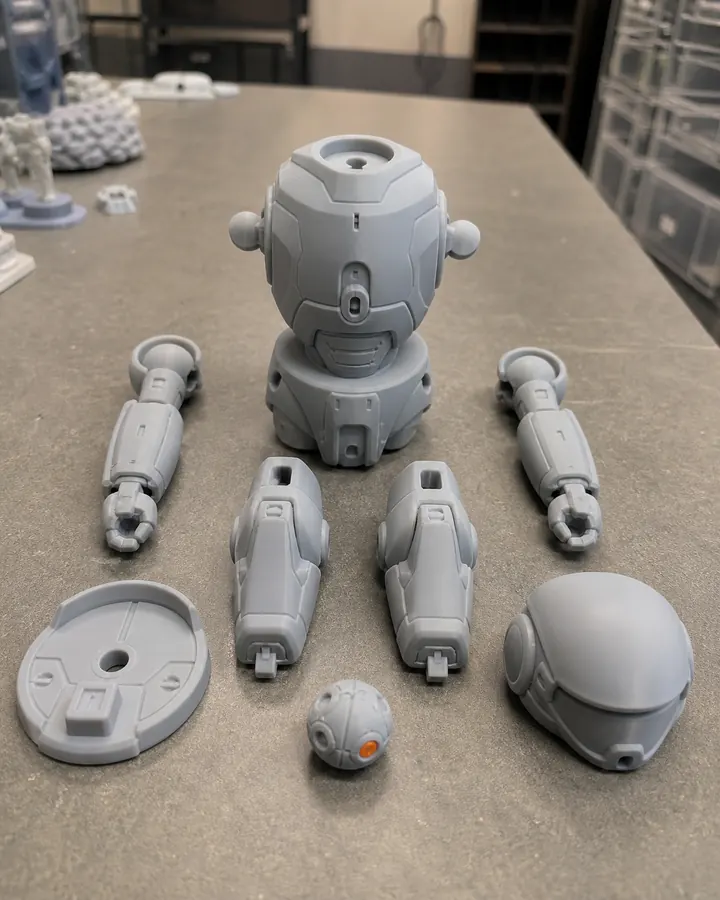
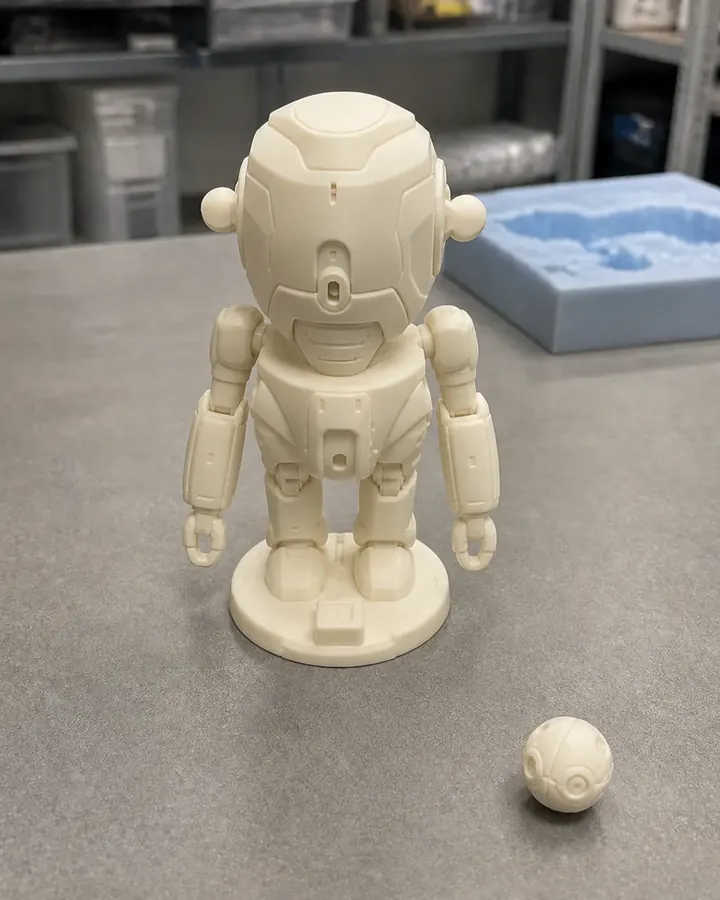
01

3D-Printed Prototype

Form and Part Review
Unpainted parts, scale, breakdown and current revision.
02

PU Prototype

Low-Volume Product View
Physical construction, surface and selected assembly details.
03

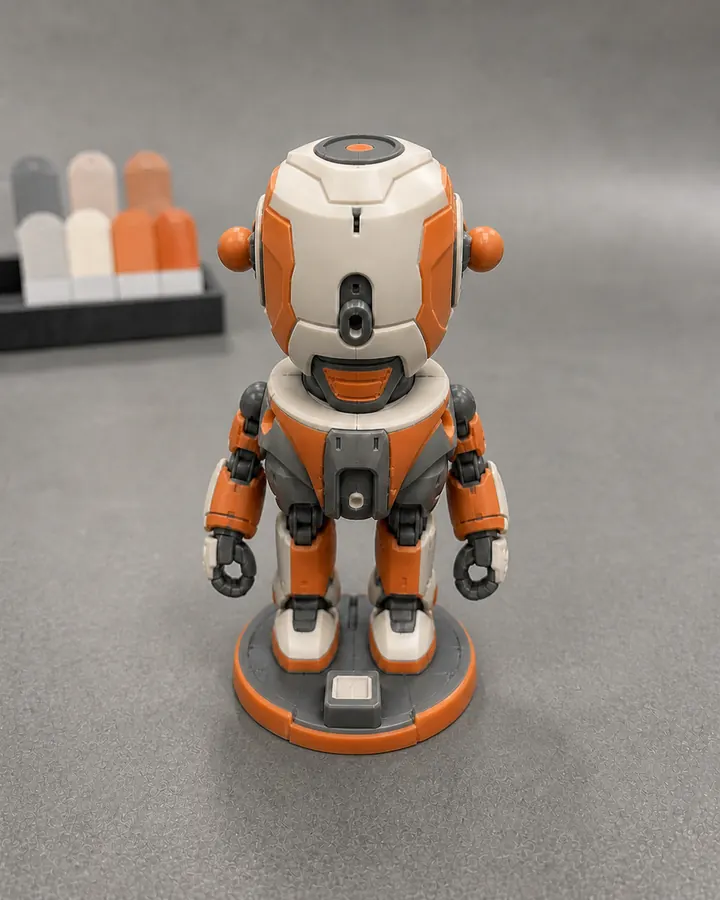
Painted Sample

Appearance Review
Color placement, graphics, finish and visible joins.
04

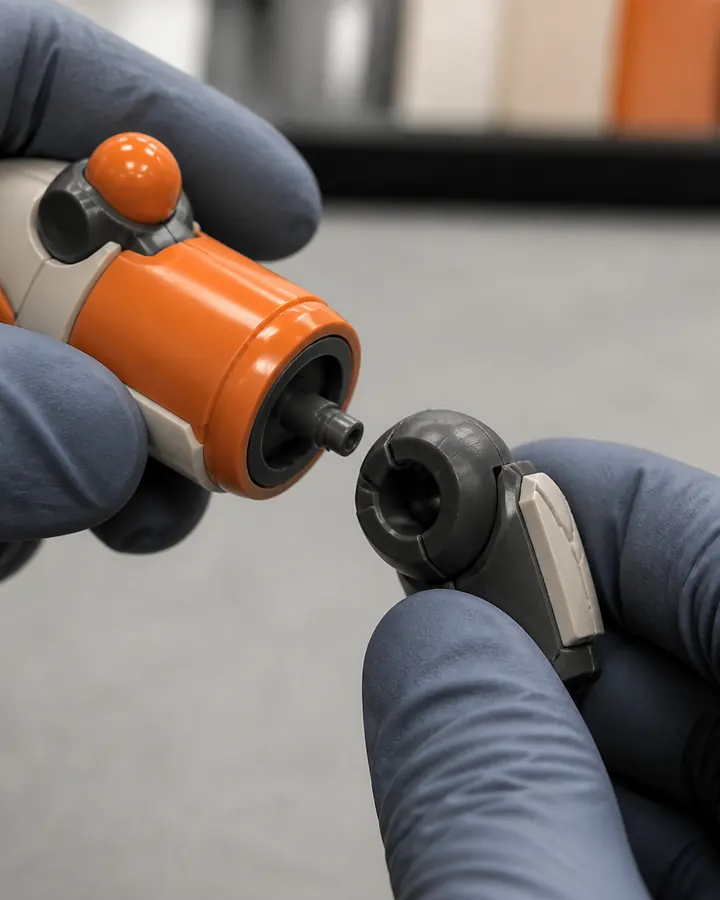
Fit & Assembly

Interface Detail
Mating parts, access, movement intent and stability.
05

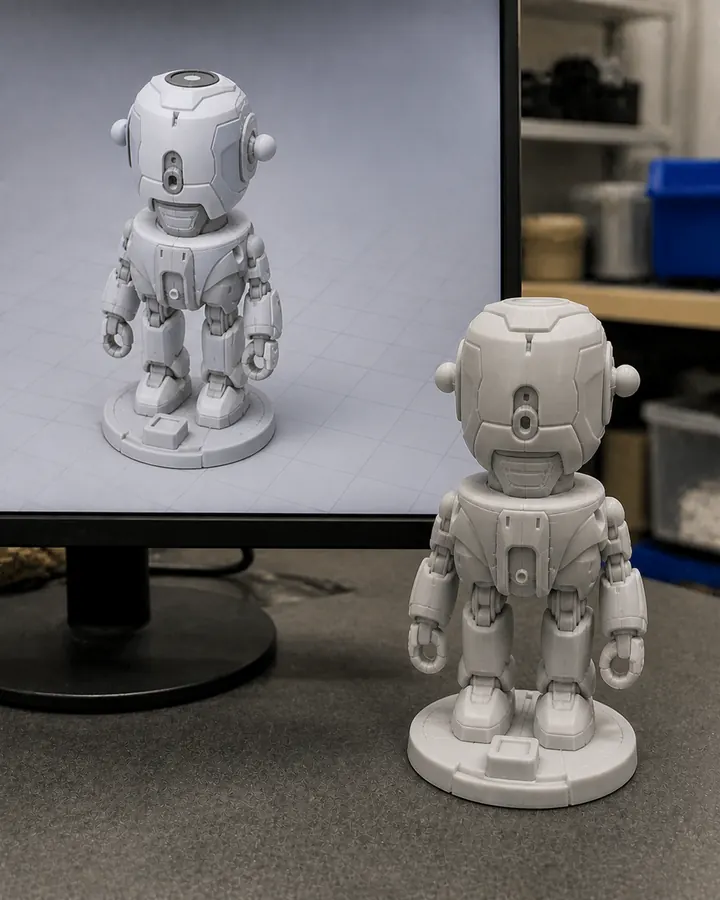
Digital to Physical

Baseline Comparison
Released model beside the identified physical sample.

A sample is scoped evidence

One Physical Object Does Not Approve Every Production Property

Teams often see a finished-looking sample and assume its material behavior, fit, surface, color and production process are all approved. A sound sample plan separates the layers and records which ones were actually reviewed.

01
Identify the property

State whether the decision concerns geometry, interface, movement, appearance, packaging or tool output.

02
Match the evidence

Use a route and check that can reasonably represent the property under review.

03
Record the limitation

Keep untested materials, processes and downstream behavior visible as open items.

Sample evidence layer diagram A scientific-style diagram separates geometry, interface, appearance, packaging and production evidence into different approval layers. SAMPLE EVIDENCE LAYERS SCOPE MAP GEOMETRY Form · scale · part boundaries · selected dimensions REVIEW INTERFACES Fit · movement · assembly · stability · access REVIEW APPEARANCE Color placement · graphics · gloss · visible joins REVIEW PACKAGING Product fit · loose parts · presentation · pack-out REVIEW PRODUCTION BEHAVIOR Tool output · production material · repeatability · yield LATER GATE APPROVAL PRINCIPLE A checked layer does not automatically approve the unchecked layers below it.

Evidence is layered.
Engineering explanation; sample criteria remain project-specific.

Controlled validation workflow

From an Open Question to the Next Approved Step

The workflow keeps the original question connected to the sample route, review result, revision and approval record. The next step may be tooling or another targeted sample loop.

01

Define

Validation Question

State the property and next decision the sample must support.

02

Audit

Inputs & Risks

Review the digital baseline, product route and missing decisions.

03

Select

Sample Route

Match the method, material direction, finish and checks to the question.

04

Make

Build & Check

Produce the identified sample and review the agreed criteria.

05

Resolve

Feedback & Revision

Consolidate findings, changes, accepted exceptions and open risks.

06

Authorize

Next Gate

Revise, validate again, begin tooling or release another agreed stage.

Project-specific sample approval record

Approve the Identified Version and Properties

An approval should make the object, scope, exceptions and next action unambiguous. It should not turn one sample into an assumed universal production master.

01
Sample Identity

Project, product or SKU, route, version, date and quantity under review.

02
Purpose & Criteria

The specific geometry, dimensions, interfaces, appearance or packaging properties evaluated.

03
Exceptions & Open Items

Accepted deviations, route limitations, must-fix items, owners and unresolved risks.

04
Next Authorized Gate

Revise, validate again, approve a later sample, begin tooling or move to another agreed stage.

SAMPLE APPROVAL RECORD

SAMPLE STRUCTURE

Identity

Sample route / version / date

DEFINED

Purpose

Form + selected interfaces

SCOPED

Exceptions

Open items and accepted deviations

RECORDED

Decision

Authorized next project gate

APPROVED

Approval owner Project-specific record

Illustrative record structure—not a customer report or fixed deliverable template.

Approval rule
Only the identified sample version and the properties listed in the approval record are approved. Other materials, production behavior, colors, tolerances, packaging performance or later revisions remain outside that approval unless explicitly included.

Connected manufacturing handoff

Keep the Approved Baseline Connected to Production

FigCrafts coordinates the sample decision with the engineering, tooling, molding, decoration, assembly, packaging and quality stages that follow.

Complete coordination with defined boundaries.

Core development, prototype work, tooling, molding, decoration, assembly, internal inspection and final pack-out are managed in-house. Where a project uses partner-produced items or services, FigCrafts coordinates them through the project workflow. Printed boxes, trays, blisters and other packaging components are produced through established partners and matched to the approved product and pack-out plan.

Prototype / Low Volume
Options Can Start from One Unit

Using 3D printing, PU or another suitable non-production route.

Injection Production
Typical MOQ: 500–1,000 Units

Depending on structure, tooling, material, colors or SKUs, finishing and packaging.

Decision
Close the Right Risk Before Tooling

Another sample may be the responsible next step when a critical question remains open.

Inputs for an effective sample review

Send the Product Context and the Decision to Validate

Share the best available authorized source and identify what the physical sample must help the team decide. Missing information can be listed during the initial review.

Send a Sample Brief
01
Source & Revision

Artwork, views, photos, physical reference or 3D/CAD, with the current version identified.

02
Product Definition

Product route, finished size or scale, parts, function, accessories, variants and intended interaction.

03
Validation Purpose

Form, fit, assembly, movement, appearance, packaging or a defined production gate.

04
Commercial Context

Prototype quantity, expected production quantity, target market, schedule and known dependencies.

05
Finish & Packaging

Color references, decoration, visible-surface priorities, assembly and pack-out requirements.

06
Approval Contact

The main decision owner, review criteria, feedback process and whether an NDA is required.

Prototype buyer FAQ

Questions Before Sample Making Starts

Exact routes, quantities, finishes, checks, revisions and timing are confirmed after reviewing the intended decision and available inputs.

Can FigCrafts make one prototype? Yes. Prototype and low-volume options can begin with one unit using 3D printing, PU or another suitable non-production route. The method depends on the product and what the sample must prove.

Can a 3D-printed sample approve production fit? It can support approval of selected geometry and interfaces when the method and criteria are suitable. It does not automatically reproduce molded shrinkage, production resin behavior, friction, fatigue or long-term function.

Does an approved appearance sample approve mass production? No. An appearance sample can approve the identified visual direction, such as color placement, graphics and finish hierarchy. Production color, process output, consistency and finished-product release require the relevant later evidence.

What changes a prototype quotation? Key factors include source-file readiness, sample purpose, size and part count, route and material direction, quantity, finish, assembly, inspection evidence, packaging work, revision scope and schedule.

Can an approved prototype move directly into tooling? It can, when the approved sample and engineering baseline have closed the risks required for tooling. If critical geometry, fit, material, appearance or packaging questions remain, another targeted validation step may be more appropriate.

Plan the next physical decision

Define What the Sample Must Prove

Share authorized artwork, photos, existing 3D data or a physical reference together with the product route, size, quantity, finish, packaging and target schedule. Initial project feedback is typically provided within 1–3 business days after sufficient information is received.

Plan a Prototype or Sample

Send Your Inquiry

Share project details for an initial manufacturing review.

*For confidential files, request an NDA before sharing sensitive project data.

滚动至顶部

Send Your Inquiry

Share project details for an initial manufacturing review.

*For confidential files, request an NDA before sharing sensitive project data.