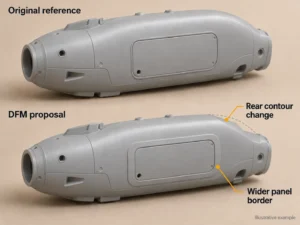

Start a model kit DFM review by identifying the original design, the proposed revision, and the affected part. Compare the same features from matching views, ask why each change is proposed, and record what you accept, under which conditions, and what still needs evidence. Confirm which file will carry those decisions into the next stage.
DFM means design for manufacturing. The engineering team may propose changes to make a part suitable for its intended manufacturing route. You still need to decide how those changes affect the design intent: the curve that defines a silhouette, the edge around a recessed panel, or the relationship between adjoining surfaces.
“Please keep the details” leaves those decisions open. Point to the feature, describe what has changed, and explain which visual relationship matters. If the reason for a change is unclear, ask the engineering team to explain it and discuss whether another approach is feasible.
Keep the acceptance scope specific. A response about a digital contour records an appearance decision; physical fit and the result from the mold still need their own evidence. Before work moves on, identify the next revision and the questions that remain unresolved.
Start With an Identified Reference and Proposal
Name the two versions before judging the difference. An early concept, an approved design reference, and a later engineering proposal can represent different decisions. Identify which reference governs the feature you are reviewing; flag any unresolved design intent.
Keep a short comparison header with:
- The affected part and the feature under review.
- The original reference and its file or revision identifier.
- The proposed file or revision identifier and the matching annotation.
- The intended size, units, and viewing directions used for comparison.
Confirm that both versions use the intended size and units. Use matching views and consistent display conditions where possible. A perspective view, a different zoom, or a change in shading can make a contour look different without establishing that the geometry changed.
If you receive only screenshots, ask which model revision each image represents and where the proposed change sits. Request the relevant geometry or additional views when the screenshots cannot resolve the question. Avoid estimating a dimensional limit from an image. Keep the comparison open until the references support the decision you need to make.
Separate Geometry Changes From Mold Layout Proposals
Ask what each annotation represents before responding. A line or shaded area in a DFM document may refer to different subjects:
- Product geometry: a contour, edge, recess, or adjoining surface would change in the part model.
- Mold layout: a proposed parting line, gate location, or ejection arrangement needs review in relation to the product.
- Expected surface marks: a possible molding mark needs explanation and, later, appropriate physical verification.
A proposed parting line drawn on a model does not by itself establish that a cut or groove has been added to the product geometry. Ask whether the supplier is changing the part, proposing the mold layout, or identifying an expected trace of the process.
Respond to the identified subject and keep any uncertainty visible. If the proposal changes how the kit is divided into parts or arranged on sprues, revisit designing parts and sprues before accepting the affected geometry. That architecture decision needs its own review.
Compare Each Change Against the Design Intent
Name the Feature and the Viewing Direction
Describe the change where it occurs. “The rear curve becomes a straight segment in the side view” gives the engineering team a specific difference to discuss. “It looks wrong” leaves them guessing which feature matters.
Connect that difference to the design reference. Identify the part and revision, mark the affected area, and compare it from the same viewing direction. If the available views do not make the difference clear, request another view before deciding. A screenshot can support an appearance discussion; dimensions and tolerances need the relevant geometry or measurement evidence.
Illustrative Buyer Scenario
Consider an original, fictional exploration-submersible model kit. This is an invented review example with no client project or production result. Its shell has an arched upper profile and a recessed side panel. The design intent is to retain the continuous upper curve and the position of the panel outline.
Imagine an engineering proposal with two changes:
- The rear of the upper curve becomes a short straight segment.
- The border around the side recess becomes wider.
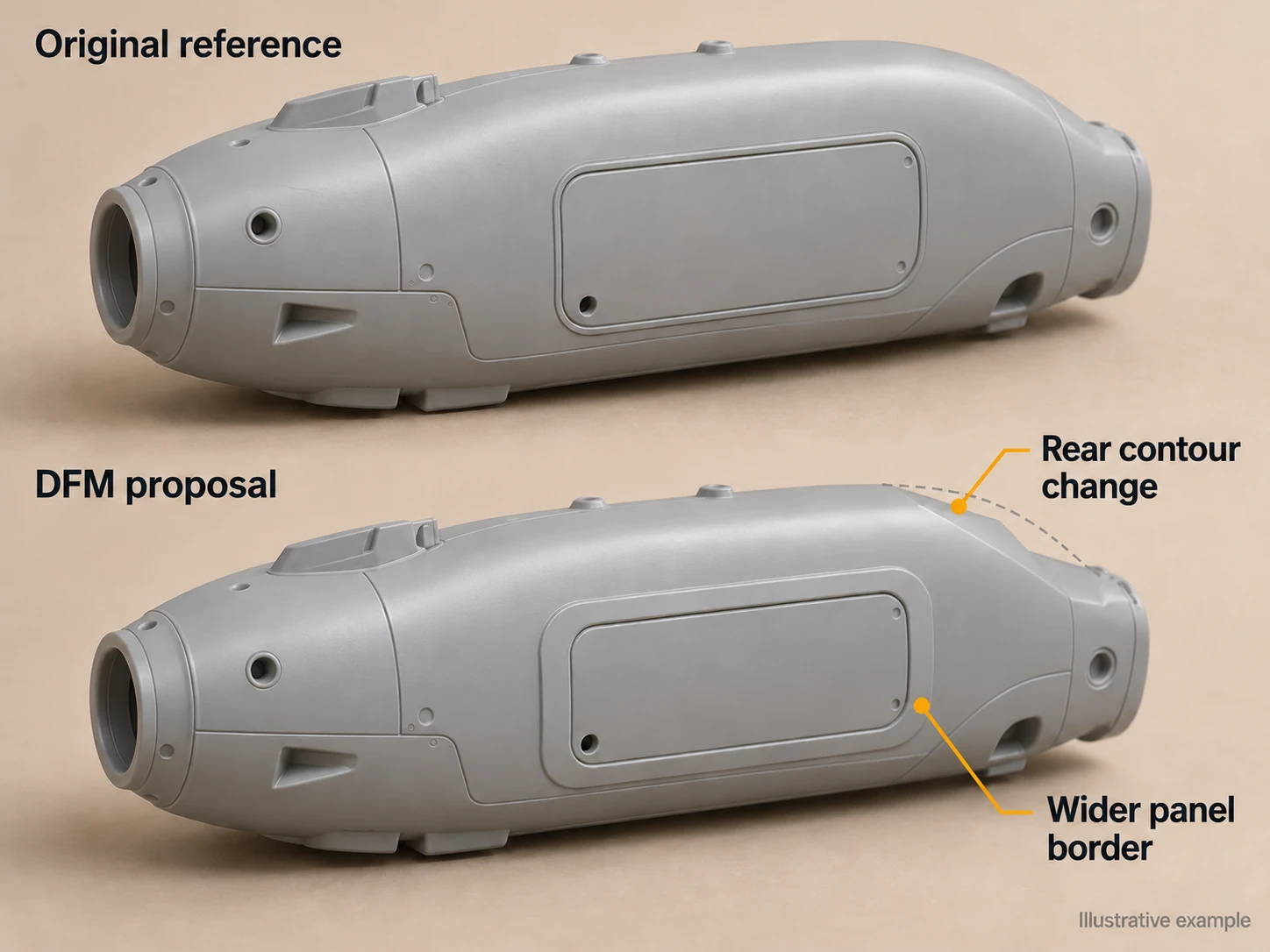
Review each change against its own reference. For the recess border, a buyer could accept the wider border for appearance, with a condition:
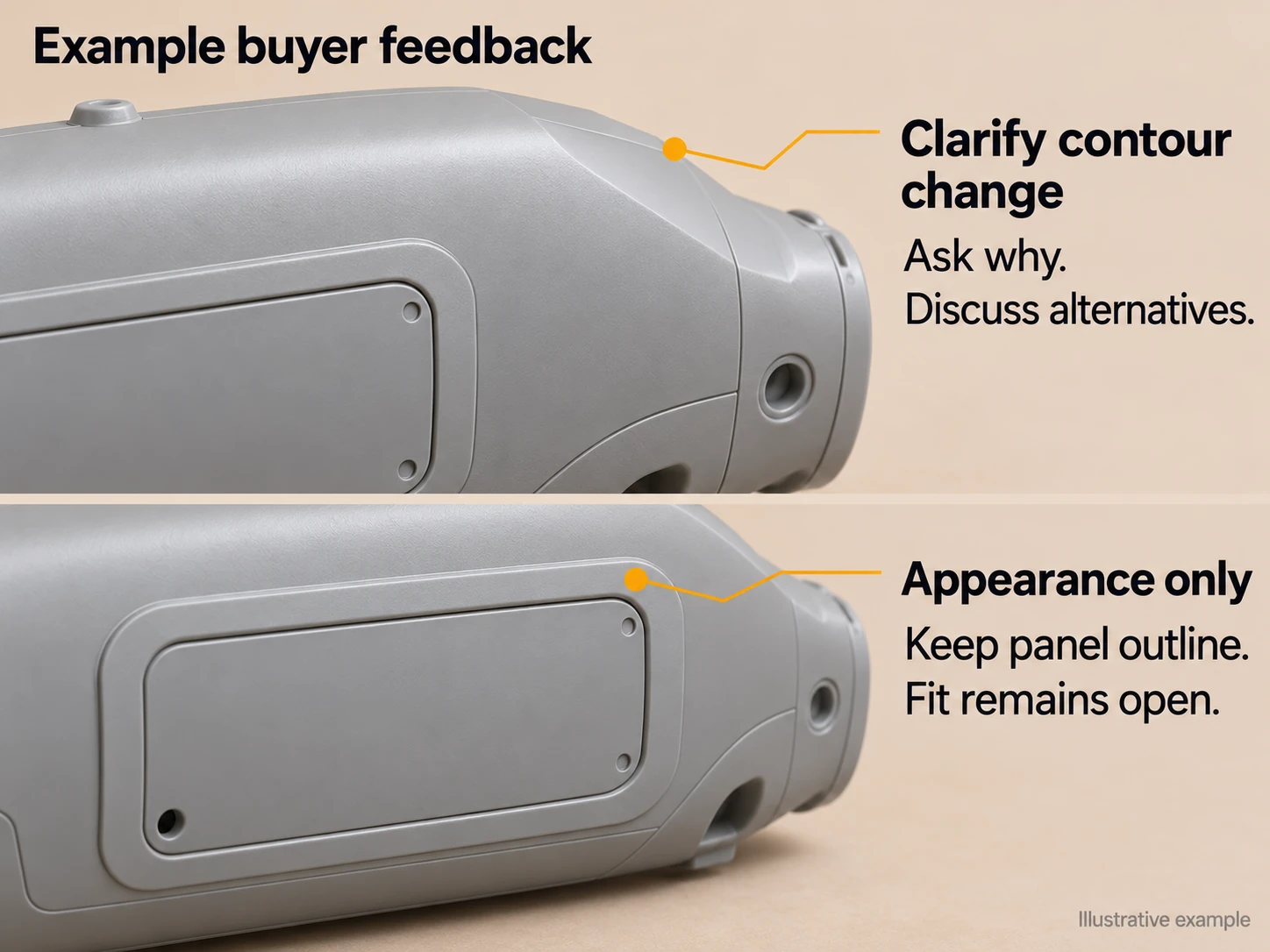
The wider border is acceptable for appearance, provided the panel outline stays in its original position. Please identify the proposed revision and confirm the outline against the original reference in the matching side view. Physical fit remains open.
The rear contour needs a different response because it changes the continuous curve the buyer wants to retain:
The straight segment changes the upper profile in the side view. Please explain why this change is proposed and whether an alternative could retain the curve. Keep acceptance of this contour change open until we have that explanation and a comparable revised view.
These are proposed buyer responses, not engineering findings. The feasibility of retaining the curve still needs engineering review. Identify the original and proposed file revisions beside both comments, then confirm which next revision will carry the accepted geometry. Keep the unanswered contour question attached to that revision.
Ask Why the Change Is Needed and What Else Is Possible
Ask the engineering team to connect its reason to the marked feature. A broad comment such as “needed for manufacturing” leaves the design team unable to evaluate the specific tradeoff.
For each proposed change, ask:
- What manufacturing condition does this change address at this location?
- Is the change necessary for the proposed route, or is it a recommendation with choices still available?
- Could another approach retain the identified design feature, and what would that approach affect?
- What information or verification is still needed before choosing?
The engineering team must assess feasibility. A buyer’s preference for the original shape does not resolve a manufacturing constraint, and requesting an alternative does not establish that one is available.
When a proposal requires revised product geometry, agree the scope of 3D modeling and product engineering involved. If an option changes part architecture, tooling scope, or an agreed requirement, ask for the project impact before choosing it. Confirm any quotation or schedule implications for that project; keep them separate from the appearance response.
Record the Conditions for Accepting Each Change
Tie Each Decision to One Proposed Change
Use the part and revision references as the header for a change record. Give each proposed geometry change its own entry, even when several changes appear in the same image. Link the entry to the marked feature and the comparison views.
Record the original intent, the proposed change, the engineering explanation, your response, and the evidence still needed. If a reason has not been provided, leave it open explicitly. Do not fill the gap with an assumed tooling problem.
DFM Change Review Record — Illustrative Buyer Scenario
The entries continue the fictional submersible example. They are suggested communication notes, with no completed engineering or production outcome.
| Feature | Original Intent | Proposed Change and Reason | Decision and Conditions | Open Evidence and Next Revision |
|---|---|---|---|---|
| Side recess border | Retain the position of the panel outline. | Wider border proposed; engineering reason still requested. | Conditional appearance acceptance of the wider border, provided the outline stays in position. | Confirm against the original in a matching side view; identify the next geometry revision. Physical fit remains open. |
| Rear upper contour | Retain the continuous upper curve in side view. | Short straight segment proposed; engineering reason still requested. | Acceptance remains open while the buyer requests an explanation and a possible alternative. | Obtain the explanation and comparable revised view; identify any resulting proposal revision. |
Make the acceptance condition specific enough to check against the next submission. “Keep the panel outline in its original position” identifies a relationship to compare. “Keep the quality” does not identify what the revised geometry must retain.
Keep required engineering information open even when an appearance preference is acceptable. The wider-border response does not authorize proceeding without resolving the applicable engineering questions. A reply to one feature also leaves the other recorded changes subject to their own decisions.
Carry the Decision Into the Next Controlled Revision
Confirm What Was Accepted and What Remains Open
Agree who will update the relevant geometry and how the next revision will be identified. The buyer and engineering team may have different responsibilities for source files; confirm the handoff rather than assuming a particular native format or automatic file update.
Before the affected work proceeds, check that:
- The next geometry revision contains the changes accepted for that part.
- The original reference, reviewed proposal, and response can still be identified.
- The scope and conditions of each acceptance remain attached to the affected feature.
- Open engineering or physical-verification questions have an agreed next action and responsible person.
A marked screenshot or an agreed comment does not establish that the released geometry was updated. Ask the responsible person to identify the version carrying the decision, then review it against the recorded conditions. Reassess a new proposal if it changes the feature again.
Keep the sample approval stages distinct. Actual marks, part fit, and assembly behavior need the relevant physical evidence; model kit test shots and assembly approval address those later questions.
If tooling has already started, or a request introduces a new product requirement, ask the project team to assess the affected work and confirm the next approval. Avoid treating an earlier digital appearance response as acceptance of an unreviewed change.
Model Kit DFM Review Questions
Can Screenshots Confirm a Geometry Change?
Screenshots can identify an apparent difference and support a discussion when the versions and viewing conditions are clear. They cannot independently confirm dimensions, tolerances, or that every affected surface matches. Request the relevant geometry, comparison views, or measurement evidence for the decision in question.
Does Accepting a DFM Change Approve the Finished Kit?
Acceptance covers the feature, revision, and conditions you explicitly identify. A digital appearance decision does not establish physical fit, molded surface results, or production repeatability. Record the remaining checks and approve them through the relevant engineering and sample stages.
Send the References Needed for a DFM Review
Send your current design reference, the proposed DFM changes, and the features you want to retain. Include the affected part and revision, finished size, material direction, expected quantity, and project stage so we can discuss the engineering scope and the decisions still needed.
For custom plastic model kit production, tell us whether tooling has started and which questions remain open.
Discuss Your Model Kit Project
We work with brand-owned, licensed or otherwise authorized designs. Proof of rights may be requested before production.